
Select the projects you have the capacity to deliver
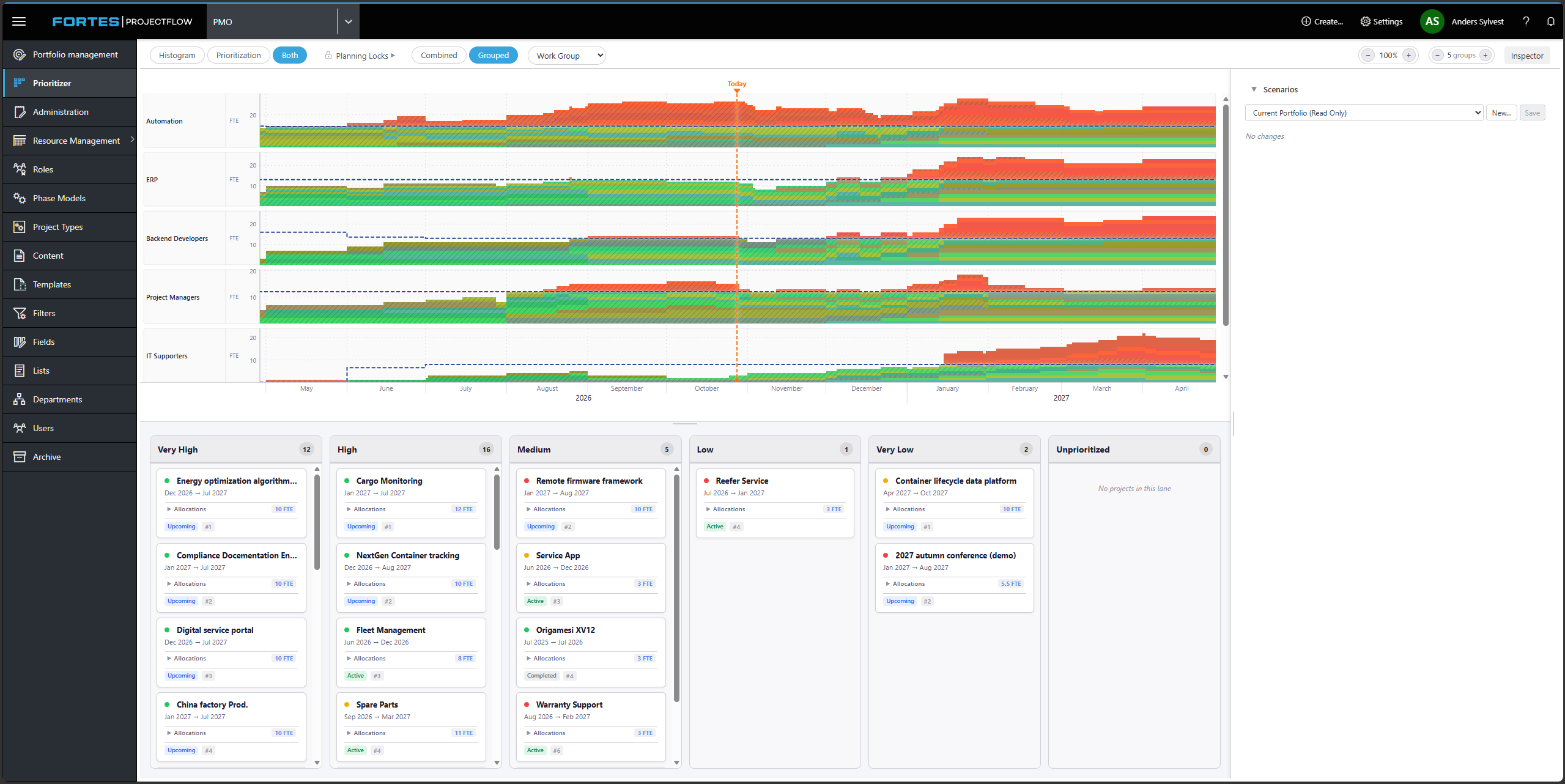
The Prioritization module in Fortes ProjectFlow shows whether your future prioritized projects can be delivered with the resources you have. So you can see where capacity runs out before you decide anything.
Balance operations and development
Operations always come first, and they consume the resources that should have gone to development. That is why many organizations end up starting more projects than they can finish. With the Prioritization module, you compare the portfolio with the capacity of your departments and resource groups. That way, prioritization is based on data rather than gut feeling.
Power up your portfolio decisions
- Only start what you can finish. Only projects you have the capacity to deliver are prioritized. That way, hours and budget are not lost on projects that stall.
- See bottlenecks before they occur. The module adds up the estimates for the selected projects and compares them with the capacity per resource group. It shows which skills you will be short of if the portfolio is to be delivered.
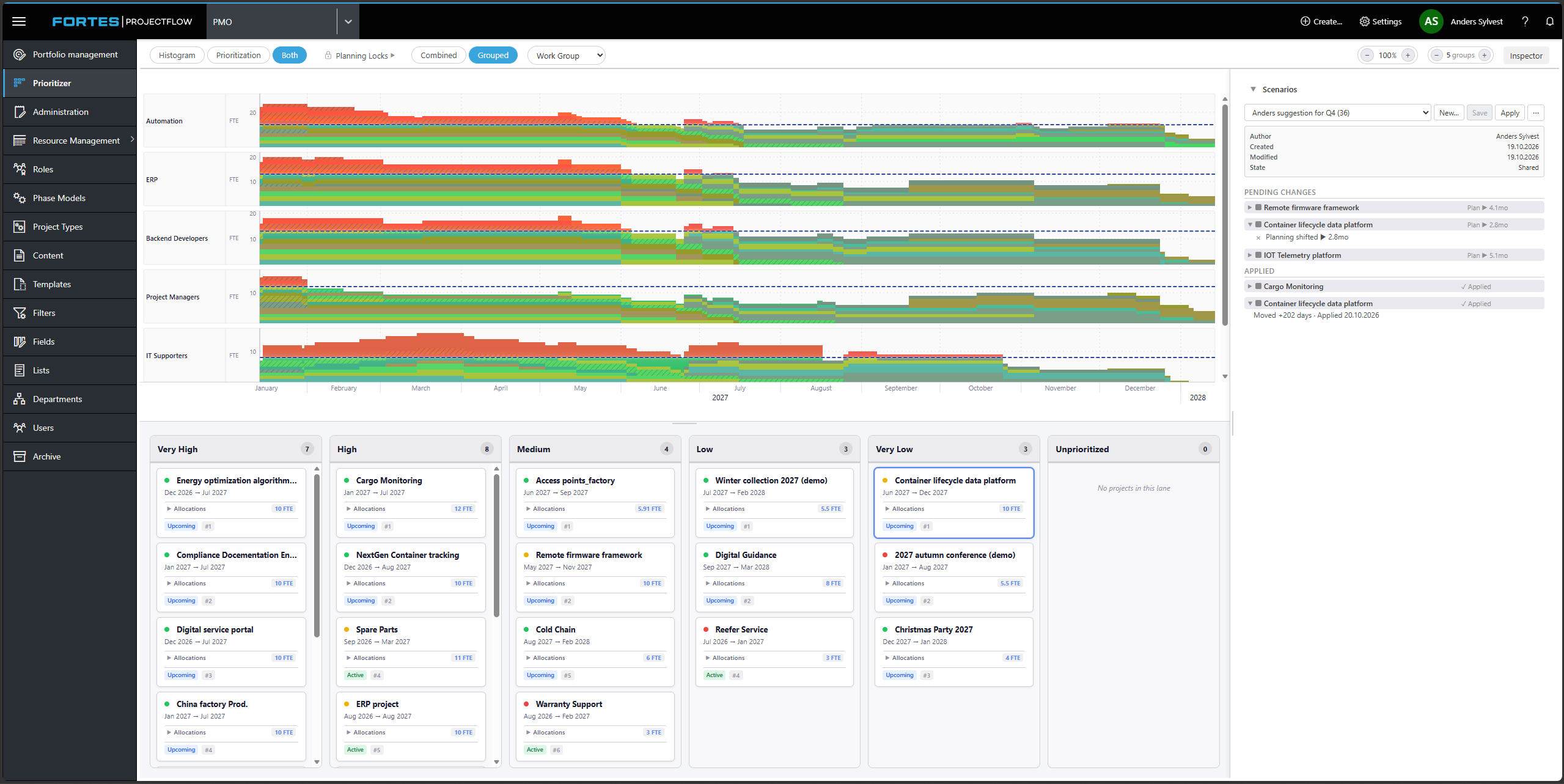
- Give management more options to choose from. Create scenarios in which each project has its own order and schedule, and adjust them directly in the portfolio management meeting.
- From decision to plan in one click. Once management has chosen a scenario, it is rolled out, and priorities, dates and participant periods are updated automatically on the projects.
”Start simple. In most organizations, only a limited number of data points are essential for discussing prioritization, progress and resource allocation across projects.”
Power up your prioritization process
The Prioritization module supports a simple four-step process:
- Qualification: Project ideas are created, and the demand per resource group is entered.
- Prioritization and planning: The portfolio is planned based on capacity, and future bottlenecks become visible.
- Scenarios and decision: Management compares the scenarios and makes a decision.
- Allocation and execution: The projects are carried out, and capacity is adjusted continuously.
In the long term, the Prioritization module works with rough estimates. Once the project is approved and the start date approaches, you can switch to the Resource Management module for detailed planning in the “Resource plan”.
Get started with little data
The Prioritization module needs only three things
Capacity
Departments or resource groups with standard working hours and planned absence.
Rough estimates
Hours or FTE per resource group on each project.
A prioritized project list.
Start with the resource groups that are typically bottlenecks – the same few people everyone relies on. You can add more detail as the process becomes embedded.

“We started by reducing the standard working hours using capacity categories for each individual employee in ProjectFlow.”
— Johnny, Evida
Satisfied customers
Become part of a strong community


